Want to improve your pet care business's online reputation and create a forum for open and honest feedback? PetDesk made a channel to receive just that.
Thank You Surveys:
- Sent: 3 days after their appointment (1 per 60 days, intended to not overwhelm your frequent visitors.)
This ensures your staff has the client notes and info updated by that point and does not overwhelm clients with notifications post-visit. - Clients will be able to select a scale of 1 - 10 and leave an optional comment.
- The practice will be notified by email of reviews that scored lower than 7, so it can take the necessary action.
To manage reviews:
Log in as an admin to your PetDesk Communications dashboard. You can access your reviews from the Review tab or the Reviews tab in a particular client's dashboard profile.
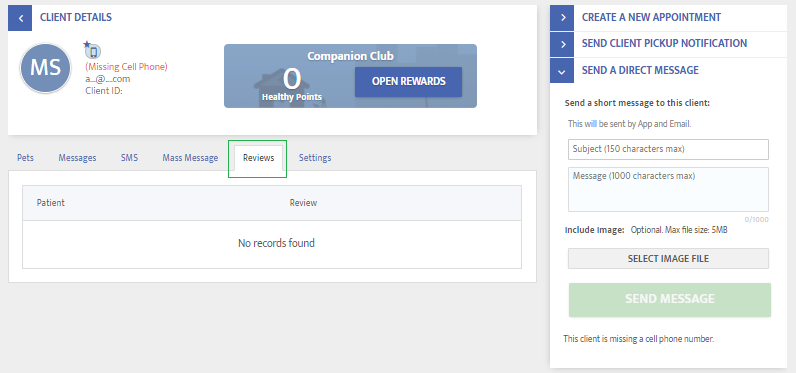
How to view client reviews in your admin dashboard:
To conveniently view a specific client's dashboard profile, we now have Global Search
In addition to going to the Clients & Pets page and restarting your search, Global Search allows you and your staff to quickly locate the right record directly from the search bar on every page.
Top results appear instantly, allowing you to access client or patient records without interrupting your workflow.
How To:
- Enter search information into the global search bar by first clicking on the magnifying glass
- Enter any client information, from phone number to name, and the top matching results appear immediately
- Results show client and patient matches
- You can also choose View All Results to open the full search results page in Clients & Pets
- Clicking a result takes you directly to the correct client or patient detail on the right side of the screen
- Click on the name, and it will take you to the full profile in Clients & Pets
Comments
Article is closed for comments.